WorldRemit International Money Transfer: Complete Review & Guide (2026)
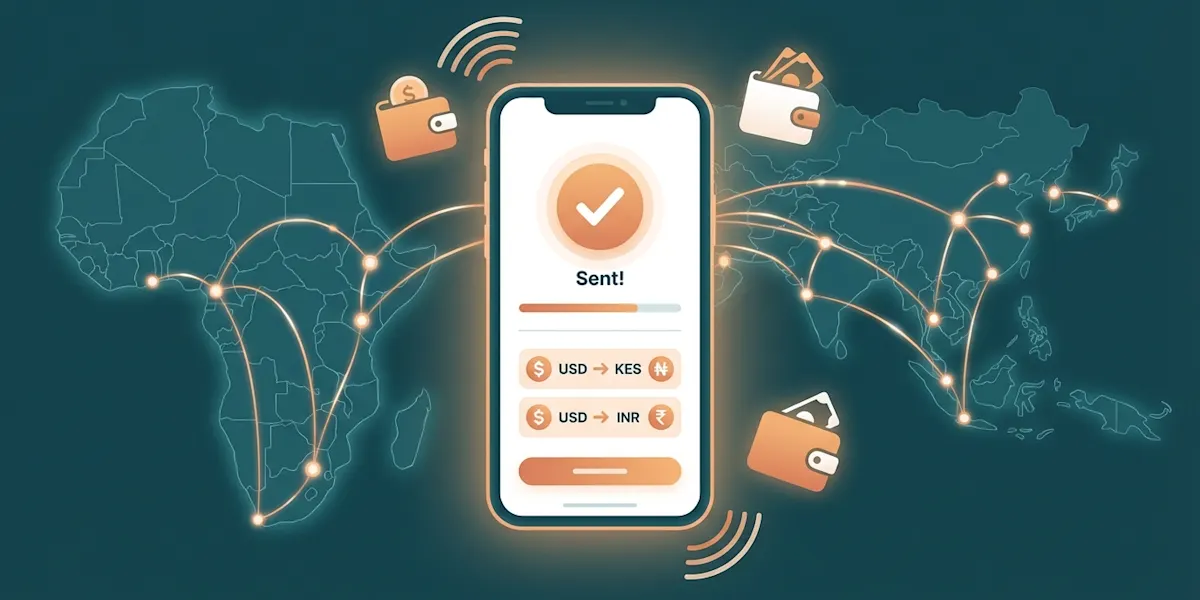
WorldRemit is a fully digital remittance service founded in 2010 and owned by Zepz Group, the same parent company behind Sendwave.
It serves 130+ destination countries with a mobile-first approach built around the needs of expats, migrants, and diaspora communities sending money home.
If you regularly send money to Africa, Asia, or Latin America, WorldRemit deserves serious attention. Two honest caveats upfront: transfer limits are low compared to competitors (a $9,000 per-day hard cap for US senders), and fees vary enough that you should always compare before committing.
This guide covers everything you need to make an informed decision: how WorldRemit works, the full fee structure, transfer limits, delivery methods, safety, and a direct comparison with Wise, Remitly, Xoom, and Western Union.
What Is WorldRemit and How Does It Work?
WorldRemit was founded in 2010 by Ismail Ahmed, Catherine Wines, and Richard Igoe. Ahmed's motivation was personal: while studying at a London university, he found it frustratingly difficult and expensive to send money back to Africa.
That experience shaped the company's core mission, which was to make international remittances faster, cheaper, and more accessible for people that legacy providers underserved.
Today, WorldRemit operates entirely online with no physical branches. Transfers are initiated through the website or app, and recipients do not need a WorldRemit account to receive funds. The company's parent, Zepz Group, also owns Sendwave, giving the group a combined reach across some of the world's most important international money transfer providers corridors.
WorldRemit's geographic strength is concentrated where it matters most: sub-Saharan Africa, Southeast Asia, and the Americas. These are corridors that traditional wire transfer services have historically served poorly, with high fees and slow delivery times. WorldRemit's deep integration with mobile money networks in these regions is its single biggest competitive differentiator.
WorldRemit Wallet: What It Is and How It Works
The WorldRemit Wallet is one of the service's most distinctive features, and most reviews cover it too briefly to be useful.
The wallet lets both senders and recipients hold, send, and receive money in multiple currencies directly within the app. Crucially, peer-to-peer transfers work even if the recipient does not yet have the app. They receive a notification prompting them to download WorldRemit and register to claim their funds.
There is an important time limit to know about: recipients have only 14 days to register and claim the transfer before it is automatically returned to the sender. If your recipient is not tech-savvy or lives somewhere with unreliable internet access, factor this in before choosing the wallet as your delivery method.
Currency support within the wallet is currently limited. Users can hold balances in USD, PHP (Philippine Peso), UGX (Ugandan Shilling), and XAF (Central African CFA Franc). The maximum balance across all currencies combined is equivalent to approximately $2,000 USD. For everyday remittances these limits are workable, but the wallet is not suitable as a long-term holding account.
How to Send Money with WorldRemit: Step-by-Step
One of WorldRemit's more underappreciated features is that you can see fees and exchange rates before you even sign in. That transparency upfront is worth noting because many competitors require account creation before showing you what a transfer actually costs.
Here is the full process:
- Download the app or go to worldremit.com. Both work equally well. The app is generally faster for repeat transfers.
- Create an account and verify your identity. You will need a government-issued photo ID. In most cases, verification is completed within 4 minutes.
- Select the destination country and receive method. WorldRemit shows which methods are available for your chosen country immediately.
- Enter the amount. Fees and the exchange rate are displayed before you proceed, so you see exactly what the recipient will receive.
- Add recipient details. Full name, phone number, and email address. The recipient does not need a WorldRemit account.
- Choose your payment method. Bank account, debit card, or credit card (bank account is cheapest).
- Review and confirm. The summary screen shows the total cost, the recipient amount, and the estimated delivery time.
How to Create a WorldRemit Account
Sign-up requires your full name, email address, mobile number, gender, date of birth, and home address. After entering these details, you will receive a one-time password (OTP) to verify your phone number.
Identity verification is the next step, and it is mandatory before your first transfer. A government-issued photo ID (passport or driver's license) is required. Most users complete this in under 4 minutes using the in-app document scanning feature.
Some accounts cannot be verified automatically and may be asked to provide a utility bill or bank statement as supplementary proof of address. If you fall into this category, expect a delay of one to two business days before your account is fully active. Complete verification before you urgently need to send, not during an emergency.
Receive Methods: Bank Transfer, Cash Pickup, Mobile Money, Airtime Top-Up, and Home Delivery
WorldRemit supports five distinct delivery methods, which is more than most competitors offer.
Bank Transfer sends money directly to the recipient's bank account. It is typically the cheapest option for larger amounts but may take up to one business day or longer depending on the destination bank.
Cash Pickup lets the recipient collect physical cash at a partner location using a valid ID. This is usually available within minutes of the transfer being confirmed and is a strong option for recipients without a bank account.
Mobile Money transfers funds instantly to a registered mobile wallet such as M-Pesa, GCash, Airtel, or MTN Mobile Money. This is WorldRemit's standout feature: it is widely used across Africa and Southeast Asia, and it is often both the fastest and cheapest delivery option available.
Airtime Top-Up adds prepaid phone credit directly to the recipient's mobile number. There are no extra fees for this method, making it an excellent option for smaller, frequent top-ups.
Home Delivery sends physical cash to the recipient's door. This is available in select countries and takes between one and seven days depending on location.
Availability of each method varies by destination country. Not every option is available everywhere.
WorldRemit Fees: The Full Cost Breakdown
WorldRemit charges two types of costs on every transfer. Understanding both is essential to calculating your real total cost.
Cost 1: The flat transfer fee. This ranges from $0 to approximately $5 USD depending on the destination country and delivery method. For small transfers, this is competitive, often lower than Xoom or Western Union for similar corridors.
Cost 2: The exchange rate markup. WorldRemit takes the mid-market rate (the rate you see on Google or XE.com) and applies a spread before showing you the recipient amount. This markup typically ranges from 0.5% to 2% for bank transfers and up to 4% for cash pickups. It does not appear as a named line item on your receipt, but it directly reduces what your recipient receives.
The real total cost of any WorldRemit transfer is the flat fee plus the exchange rate markup. Comparing only the headline fee misses the larger cost component. Mobile money and airtime top-ups often carry a $0 flat fee, but the exchange rate markup still applies.
Transfer Fees by Receive Method
| Receive Method | Typical Flat Fee | Exchange Rate Markup | Notes |
|---|---|---|---|
| Mobile money | $0 | 0.9% to 2% | Often cheapest total cost; fastest delivery |
| Airtime top-up | $0 | Varies | No flat fee; good for small amounts |
| Bank transfer | $1 to $3.99 | 0.5% to 2% | Best markup rate; takes up to 1 day |
| Cash pickup | Up to $5 | Up to 4% | Highest total cost; available within minutes |
| Home delivery | Varies | Varies | Slowest option; select countries only |
Always fund your transfer with a bank account or debit card. Credit card funding may trigger a cash advance fee from your card issuer, which is a third-party cost WorldRemit does not control but that users frequently discover too late.
Exchange Rate Markup: What You're Really Paying
The exchange rate markup is the cost most WorldRemit users underestimate on their first transfer.
Here is how it works. WorldRemit takes the mid-market rate (the real rate) and adjusts it by a percentage before quoting you. That adjusted rate determines what the recipient receives. The difference between the mid-market rate and the quoted rate is WorldRemit's additional margin, on top of the flat fee.
The markup typically sits between 0.9% and 3%, varying by currency pair, transfer amount, and delivery method. Bank transfers generally get better rates than cash pickups for the same corridor.
A practical example: sending $500 USD to the Philippines. As a mobile money transfer, WorldRemit might apply a 1.2% markup, so the recipient receives the equivalent of $494 at mid-market value. The same $500 sent as a cash pickup, with a 3% markup and a $4 flat fee, would deliver the equivalent of roughly $481.50 to your recipient. That is a $12.50 difference on a single $500 transfer, purely from method selection.
Before every transfer, check XE.com for the current mid-market rate, compare it to WorldRemit's quoted rate, and calculate the real percentage cost. This takes 30 seconds and can save you real money over time.
WorldRemit Transfer Limits
Transfer limits are WorldRemit's most significant practical constraint, and one of the most common complaints in user reviews.
For US senders, the hard cap is $9,000 per day across all transactions combined. The per-transaction limit for card-funded transfers is $5,000. For popular destinations like the Philippines and Colombia, tested per-transaction caps confirm the $5,000 ceiling.
These limits are workable for everyday remittances but become a hard wall for anyone sending larger amounts. If you need to send $20,000, $50,000, or more, WorldRemit is simply not the right tool for that transfer. For large amounts, look at Wise (up to approximately $1.6M), OFX, or a direct international wire transfer through your bank.
Limits also vary based on account type, country of residence, payment method, and the regulations of the destination country. First-time users may face lower initial limits until their transfer history is established.
How to Increase Your WorldRemit Sending Limit
The primary path to higher limits is completing full identity verification: a government-issued ID plus proof of address. Building a consistent transfer history also helps. For users attempting to send near the upper bounds, contacting WorldRemit support directly with documentation of the transfer purpose (for example, family support or property purchase) can sometimes unlock higher per-transaction approval.
One important warning: WorldRemit's verification process is stricter than most competitors, and account freezes during verification are a well-documented user complaint on Trustpilot and the app stores. Do not wait until you urgently need to send a large amount before completing verification. Do it now, while the stakes are low.
How Long Does WorldRemit Take?
Speed varies significantly by delivery method and destination.
Cash pickup, mobile money, and airtime top-ups are typically instant or available within minutes of the transfer being confirmed. This is where WorldRemit genuinely excels.
Bank deposits can range from a few minutes to four business days depending on the destination country and the recipient's bank. Some local banks in developing markets have slower posting cycles even after WorldRemit has released the funds.
Home delivery takes between one and seven days depending on the location and the local delivery partner.
WorldRemit shows the estimated delivery time before you confirm, so there are no surprises at checkout. Factors that can slow things down include: funding via bank account rather than card (card authorization is immediate; ACH takes time to clear), destination country banking hours, public holidays, and WorldRemit's own security checks on new accounts or unusual transfer patterns.
Is WorldRemit Safe? Regulation and Security
WorldRemit is a legitimate, well-regulated financial service operating under multiple regulatory frameworks. It is not a scam.
Regulatory oversight includes the FCA (Financial Conduct Authority, UK), FinCEN (US), ASIC (Australia), and corresponding bodies in other operating countries. Client funds are held in segregated bank accounts, protected under the UK Electronic Money Regulations 2011 and Payment Services Regulations 2017. This means your money is ringfenced from WorldRemit's operational funds even in the unlikely event of business difficulties.
Security measures include HTTPS encryption, automated and manual fraud detection systems, and mandatory identity verification before the first transfer is processed.
That said, one complaint pattern in user reviews deserves honest acknowledgment: account suspensions without clear explanation. This is a real and recurring complaint on Trustpilot. It is not a sign that WorldRemit is a scam. It is a compliance-driven practice, where WorldRemit's automated systems flag accounts that match certain patterns (unusual transfer volumes, new account sending large amounts, etc.) and pause them for manual review. The process is frustrating, particularly when funds are time-sensitive, but it reflects regulated financial service compliance requirements rather than malicious intent.
The practical advice: have your ID and documentation ready if you plan to send frequently or in larger amounts.
Countries Supported: Where WorldRemit Operates
WorldRemit supports transfers to 130+ countries from 50+ sending countries. Its receiving country coverage is strong; its sending country coverage is narrower than some competitors.
The service is particularly strong in Africa and Southeast Asia. In sub-Saharan Africa, WorldRemit integrates directly with mobile money networks that serve populations without traditional bank accounts. In Southeast Asia, it covers key corridors including the Philippines, Bangladesh, and Pakistan, all major remittance-receiving markets.
An important note: WorldRemit is available as a receiving country in Nigeria, but sending from Nigeria is not supported. Users based in Nigeria cannot initiate transfers through WorldRemit.
For sending countries outside the US, UK, Canada, Australia, and Europe, access may be limited. Always verify your specific sending corridor at worldremit.com before assuming it is supported. Country availability changes, and checking directly is faster than troubleshooting a failed registration.
WorldRemit for Africa: Why It Stands Out
This is the angle most WorldRemit reviews miss entirely, and it is arguably the most important one for the service's core user base.
WorldRemit was built around the reality that mobile money infrastructure in sub-Saharan Africa is more developed than traditional banking for many populations. Services like M-Pesa, MTN Mobile Money, and Airtel Money have hundreds of millions of registered users across the continent. WorldRemit was among the first digital remittance providers to build deep, reliable integrations with these networks.
Here is how that plays out by country:
Kenya is one of WorldRemit's strongest corridors. M-Pesa integration is seamless, transfers arrive in minutes, and fees are among the lowest available for this corridor.
Ghana supports transfers to both MTN Mobile Money and Vodafone Cash, giving recipients options regardless of their mobile network.
Uganda covers Airtel Money and MTN Mobile Money, the two dominant networks in the country.
Nigeria receives bank transfers to all major Nigerian banks. The naira corridor is active and well-supported on the receiving end, even though sending from Nigeria is not available.
For diaspora communities in the UK, US, Canada, and Australia sending money home to these markets, WorldRemit's mobile money integrations deliver a genuinely superior experience compared to services that only support bank transfers.
WorldRemit Pros and Cons
| ✅ Pros | ❌ Cons |
|---|---|
| Wide coverage in Africa and Asia, including mobile money corridors | Low transfer limits ($9,000/day hard cap for US senders) |
| Mobile money and airtime top-up delivery (rare among competitors) | Exchange rate markup is not always transparent without XE comparison |
| Instant or near-instant delivery for most cash and mobile methods | Fees can be higher than competitors on some corridors |
| No minimum send amount | Account freezes and verification delays are common user complaints |
| Fees and rates shown upfront without needing to log in | Limited sending availability outside US, UK, Canada, Australia, Europe |
| Highly rated apps (4.6 on Google Play, 4.8 on App Store) | |
| Strong regulatory compliance across multiple jurisdictions | |
| WorldRemit Wallet for multi-currency holding |
The cons are real. The transfer limit in particular is a hard constraint that rules WorldRemit out for certain use cases entirely. Know the ceiling before you rely on it.
WorldRemit vs. Competitors: Head-to-Head Comparison
| Feature | WorldRemit | Wise | Remitly | Xoom | Western Union |
|---|---|---|---|---|---|
| Exchange rate | Markup (0.9%–3%) | Mid-market (no markup) | Markup varies | Markup (1%–3%) | Markup varies |
| Flat fee | $0 to $5 | Small % fee | $0 to $3.99 | $0 to $24.99+ | Varies widely |
| Transfer limits | $9,000/day (US) | Up to ~$1.6M | Higher than WorldRemit | Moderate | High |
| Speed | Instant to 4 days | 1 to 2 days | Instant or 3–5 days | Minutes to 1 day | Minutes |
| Mobile money | Yes | No | Yes (select) | No | Yes (select) |
| Cash pickup | Yes | No | No | Yes | Yes (largest network) |
| Airtime top-up | Yes | No | No | No | No |
| Best for | Africa/Asia mobile money | Lowest total cost | Limits and UX rating | PayPal users | Cash pickup breadth |
The plain summary: WorldRemit wins on mobile money delivery and Africa/Asia corridors. Wise wins on total cost for any transfer where minimizing fees matters most. Remitly wins on transfer limits and overall Trustpilot ratings. To compare rates for your specific corridor, use the comparison tool to see which service delivers the most for your recipient.
WorldRemit vs. Wise
This is the most-searched comparison, and the answer depends on what your recipient needs to do with the money.
WorldRemit wins on delivery flexibility. It offers cash pickup, mobile money, and airtime top-up. Wise does not offer any of these. For recipients in Kenya, Ghana, Uganda, or the Philippines who primarily use mobile money, Wise cannot serve them at all.
Wise wins on total cost. Wise charges zero exchange rate markup and applies a transparent flat percentage fee. WorldRemit's markup of 0.9% to 3% adds up, especially on larger or frequent transfers.
Transfer limits also differ significantly. WorldRemit caps at approximately $5,000 per transaction, while Wise supports transfers up to approximately $1.6M.
A concrete example: sending $500 USD to Kenya. With WorldRemit via M-Pesa, your recipient might receive approximately KES 64,500 after a roughly 1.5% markup and a $0 flat fee. With Wise, sending to a Kenyan bank account, your recipient might receive the equivalent of KES 65,900 after Wise's fee of roughly 0.7%. That is around KES 1,400 more, equivalent to about $11 on a single $500 transfer. Monthly, that gap matters.
WorldRemit vs. Remitly
Both services apply exchange rate markups and target overlapping corridors. The differences come down to limits, reputation, and speed tiers.
Remitly carries a significantly higher Trustpilot rating (4.6 vs. WorldRemit's 3.8), reflecting fewer complaints about account freezes and better customer service resolution. Remitly also has higher transfer limits and offers "Economy vs. Express" speed tiers, letting users choose between a cheaper slower transfer and a more expensive faster one.
WorldRemit's edge is mobile money and airtime top-up delivery, particularly in Africa. Remitly's mobile money coverage is more limited by comparison.
The verdict: if transfer limits or Trustpilot reputation are your deciding factors, Remitly has the edge. If you are sending to mobile money in Africa and that is the priority, WorldRemit is the stronger choice.
Tips to Get the Best Deal with WorldRemit
These are the practical strategies that no competing article puts together in one place.
1. Use mobile money or airtime top-up when available. These methods often have a $0 flat fee and deliver the fastest. They are consistently the lowest total-cost option for supported corridors.
2. Fund with a bank account or debit card. Never use a credit card. Your card issuer may classify the transaction as a cash advance and charge additional interest, a cost WorldRemit does not control and does not warn you about prominently.
3. Check XE.com before every transfer. Note the mid-market rate, compare it to WorldRemit's quoted rate, and calculate the real percentage markup. This 30-second check is the most powerful cost-saving habit you can build.
4. Consolidate transfers where possible. The flat fee is charged per transfer. Sending $300 once costs far less than sending $100 three times. Where your budget allows, batching transfers reduces the cumulative fee impact.
5. Look for first-time promo codes. WorldRemit regularly offers fee-free first transfers for new users. Search for a current WorldRemit promo code before your first send.
6. Complete full identity verification now. Do not wait until you urgently need to send. Account holds during verification are common and stressful under time pressure. Verify early and build a transfer history before you need to send larger amounts.
How to Track a WorldRemit Transfer
Most articles on WorldRemit do not cover tracking at all, which leaves users in the dark mid-transfer.
WorldRemit sends SMS and email updates at each stage of the transfer lifecycle. In-app tracking shows the real-time status of your transfer, from initiated through to confirmed delivery. The recipient is also notified directly when funds are ready for pickup or when a mobile money deposit has been processed.
For bank deposits, the WorldRemit app will show "Sent" once WorldRemit has released the funds. However, the recipient's bank may take additional time to post the credit, especially in markets with slower local processing cycles. This is normal and not a sign that anything has gone wrong.
If a transfer appears stuck, check the app status first. If it shows no movement after the estimated delivery window has passed, contact WorldRemit's 24/7 in-app live chat support. Support is available in 6 languages and is the fastest route to a resolution.
WorldRemit Customer Service: What to Expect
Day-to-day support for routine transfers is generally well-rated. The 24/7 in-app live chat is the primary support channel and is available in 6 languages. Phone support exists in some regions but is not the main pathway. App store ratings are strong: 4.6 on Google Play and 4.8 on the App Store.
Where things break down is during account reviews. Trustpilot reviews consistently surface three recurring complaints: account suspensions without clear explanation, slow resolution on frozen accounts, and difficulty escalating disputes to someone with authority to resolve them quickly.
To be clear, these issues are compliance-driven, not arbitrary. WorldRemit's automated systems flag accounts that match certain patterns, and manual review takes time. But "compliance-driven" is cold comfort when you have family waiting on money.
The practical preparation: keep your ID, proof of address, and documentation of your transfer purpose readily accessible if you plan to send frequently or in larger amounts. Proactive preparation dramatically reduces the likelihood of a hold disrupting a time-sensitive transfer.
Frequently Asked Questions
Is WorldRemit free to use? No. WorldRemit charges a flat transfer fee (often $0 to $5) plus an exchange rate markup on every transfer. Mobile money and airtime top-ups often have a $0 flat fee, but the markup still applies.
Does the recipient need a WorldRemit account? No, except for WorldRemit Wallet transfers. For bank deposit, cash pickup, mobile money, and airtime top-up, the recipient needs only the relevant bank account, phone number, or mobile wallet registered in their name.
Can I cancel a WorldRemit transfer? Yes, if the transfer has not yet been paid out. Contact WorldRemit support immediately through in-app chat. Once funds have been collected (cash pickup) or deposited (mobile money, bank), cancellation is no longer possible.
What is the maximum I can send with WorldRemit? For US senders, $9,000 per day across all transactions. Per-transaction limits for card-funded transfers are $5,000. Lower limits may apply to new accounts or certain destination countries.
Is WorldRemit available in my country? Check worldremit.com directly. Coverage changes regularly and is the most reliable source for current corridor availability.
Why was my WorldRemit account suspended? WorldRemit's compliance systems flag accounts that match unusual transfer patterns. Submitting your identity verification documents and proof of address through the in-app process typically resolves the issue, though resolution can take one to two business days.
How do I contact WorldRemit customer service? 24/7 in-app live chat is the fastest and most reliable channel. Phone support availability varies by region. Access support directly within the app under the Help section.
Conclusion
WorldRemit is the strongest choice in three specific situations: sending to Africa or Southeast Asia via mobile money or airtime top-up, small-to-medium transfers where speed is the priority, and cases where you want to see fees and rates before creating an account.
It is not the right tool for large transfers. The $9,000 per-day cap is a hard constraint that rules WorldRemit out for anyone moving significant sums. For those transfers, Wise or a direct bank wire are better options. It is also not the right choice if minimizing exchange rate costs is your top priority. Wise's mid-market rate with no markup will consistently deliver more to your recipient on the same amount.
The practical next step: run your specific transfer on WorldRemit's fee calculator, then run the same transfer on Wise or Remitly. Compare the actual recipient amount, not just the headline fee. The service that delivers more for your specific corridor and delivery method is the right one for that transfer.
For mobile money corridors in Africa and Asia, WorldRemit will win that comparison more often than any other service on the market.
Written by
Brahim Oubrik
Brahim Oubrik, a senior data engineer who experienced firsthand the challenges of sending money internationally. Living in France while supporting his family in Morocco, Brahim regularly needed to transfer funds across borders. Drawing on his background in data engineering, Brahim decided to solve this problem not just for himself, but for the millions of others navigating the same difficulties. He built Ideal Remit to bring clarity to the international money transfer market.